 North Star Gate
 Agres
AgresEmail & follow-up · iPhone & iPad
Read the message. Keep the next step.
Connect your mail accounts, organize messages by sender, and turn an email into a calendar event or to-do. Keep the original message close to the action it needs.

A closer look
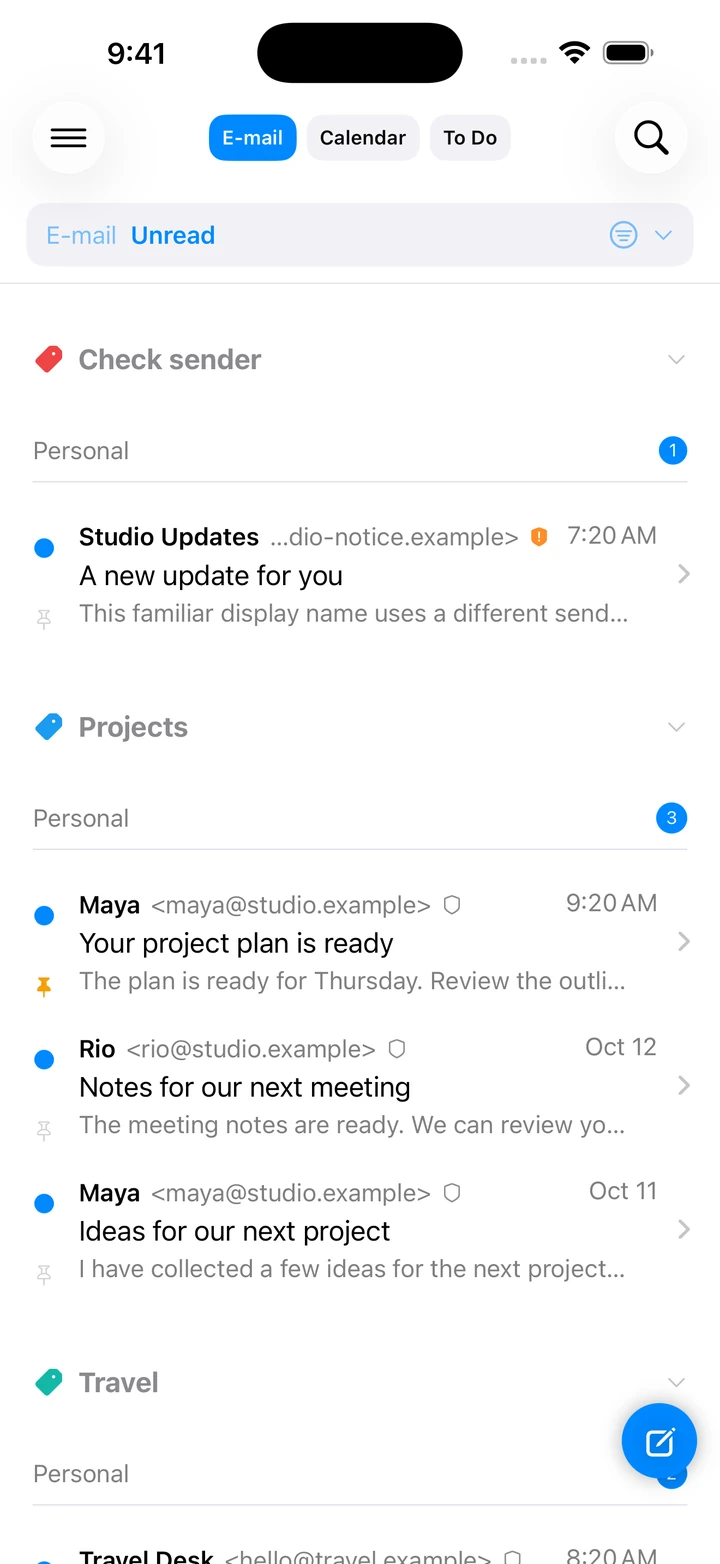
Email with sender categories, domain checks, and linked calendar and to-do items.
Your mail accounts together
Connect IMAP or POP3 mailboxes and send replies through your provider’s SMTP service.
A clearer view of the sender
Register expected sender domains and see a signal when a familiar name arrives from somewhere else.
Follow through from the message
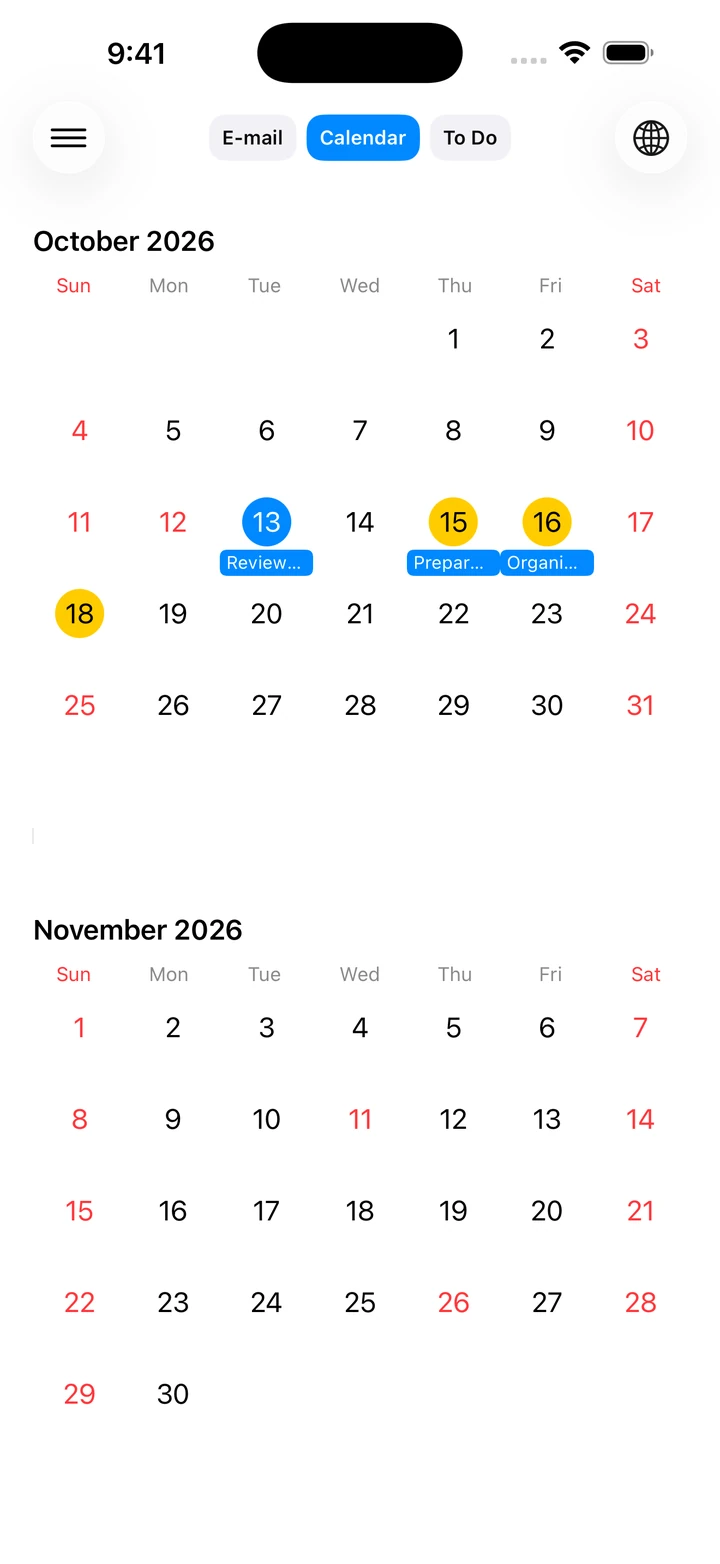
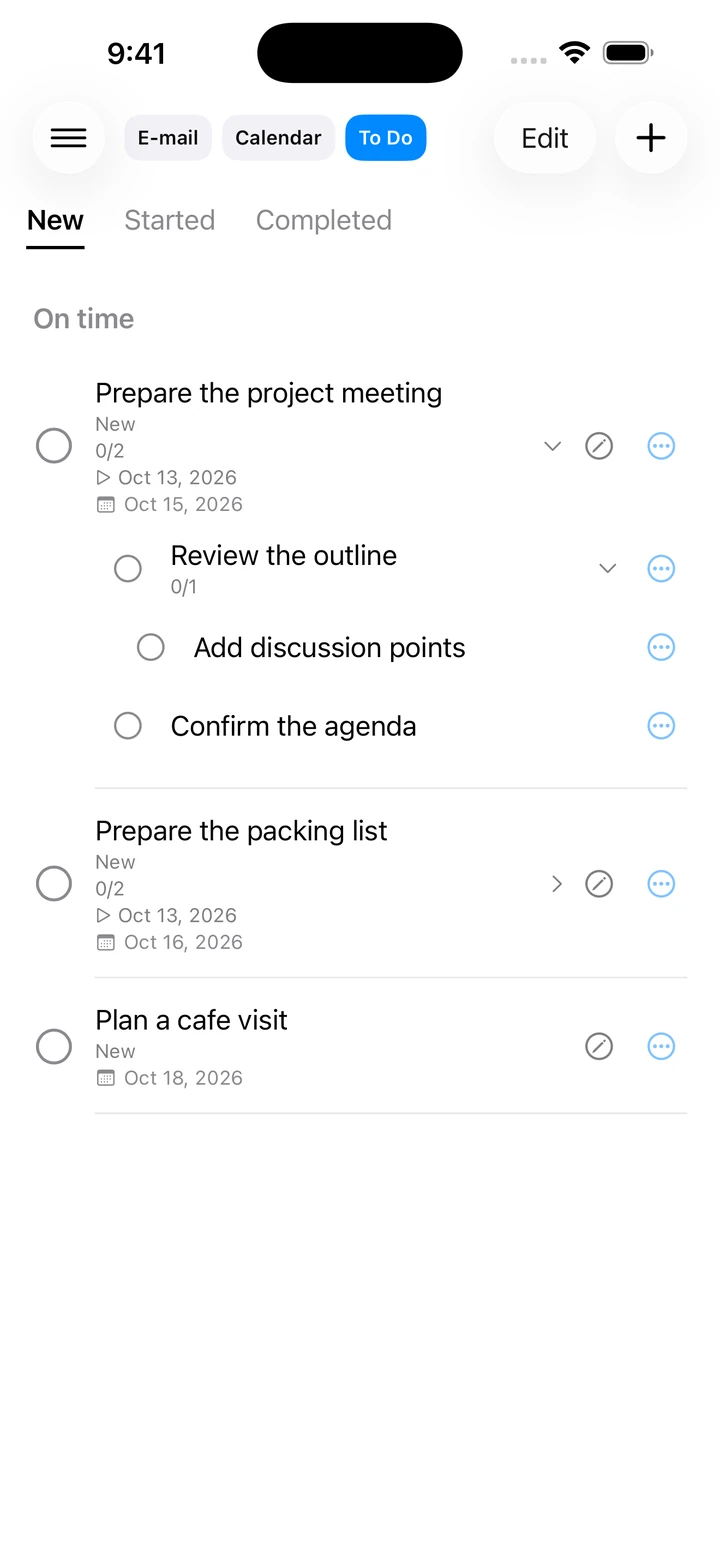
Create an event or to-do from an email. Break tasks into nested steps, track progress, and return to the source message while it remains available.
See it in the app
Simulator capture with sample content.
Keep the manual close
Start with a short first-use guide, then return to individual tasks whenever you need them.